mise en place
For independent restaurants and small groups

Last night, on one screen.

Mise pulls your POS, books, vendor bills and HR into one morning brief, set up around how your restaurant runs. Built by a California restaurant owner who was tired of logging into five sites.

Book a 15-minute demo See the screens
Daily Brief06:00
Net sales vs last year✓
Labor %✓
Voids & comps✓
Unpaid vendor bills✓
Costs creeping up✓
Meal-break flags✓
One screen · every morning

Five logins every morning. Now one.

POS QuickBooks Payroll Scheduling Reviews Mise
Built for small restaurants

Not a chain's software, scaled down.

Big platforms are built for corporate teams with analysts. Mise is built for the owner who runs the floor, does the books and still wants to know how last night went.

Set up around your restaurant

We connect your POS and books, load your history and match your menu, positions and locations.

Only the screens you use

Turn tools on or off, so a single café and a five-location group each see what matters to them.

A real person, not a ticket queue

You talk directly to the people who built it, and your feedback shapes what we add next.

What it shows

Everything an owner checks, before the first coffee.

TONIGHT

Live Tonight

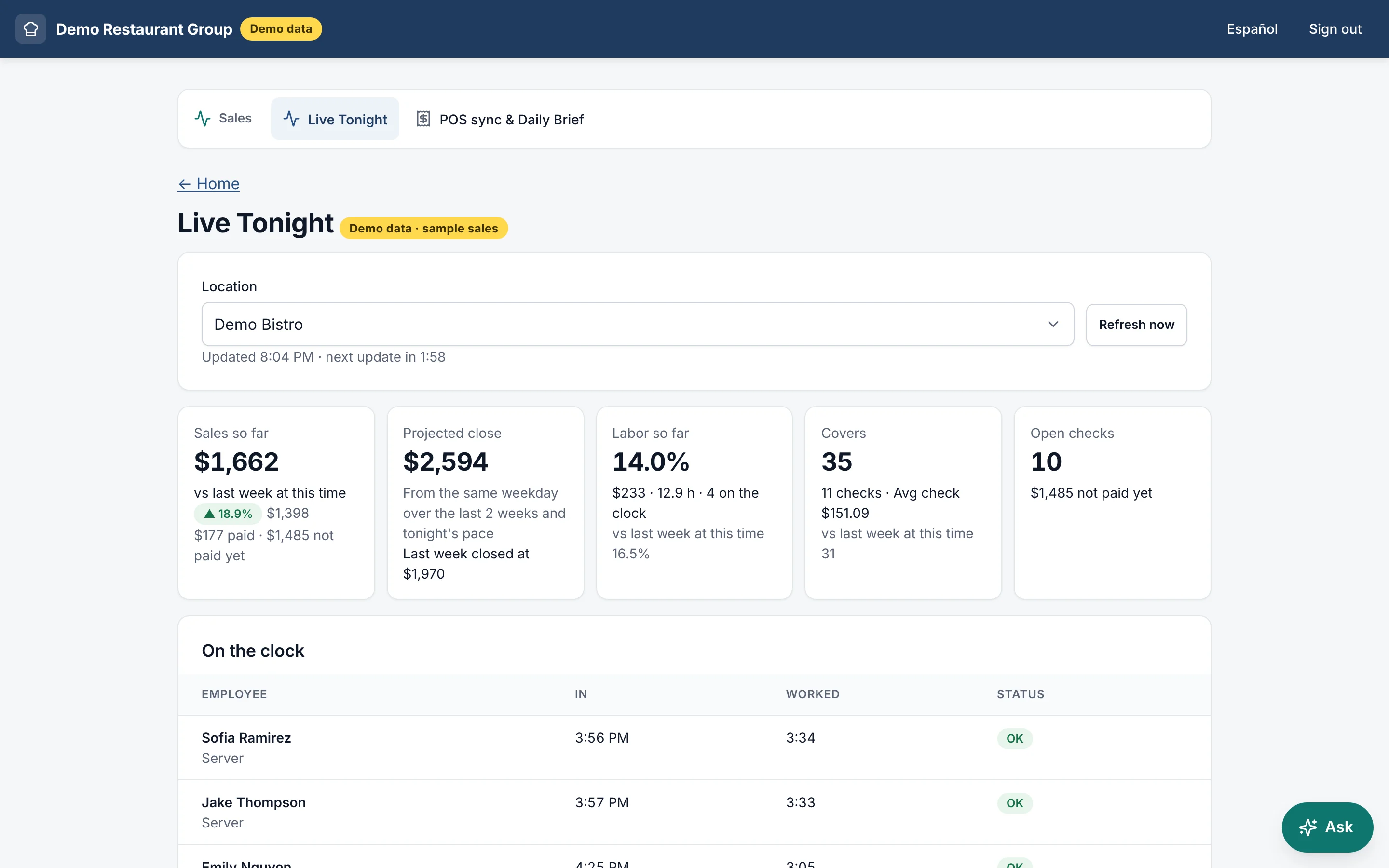
Sales and labor during service, compared to the same night last week, plus who's on the clock.

EVERY MORNING

Daily Brief

Net sales vs. last year, labor %, top sellers, voids and comps by manager, in two minutes.

MONEY

Books & Accounts Payable

Monthly P&L, prime cost, unpaid vendor bills, and an "Ask the books" assistant for any question.

KITCHEN

Kitchen Costing

Plate costs from real vendor prices, with a flag when a menu item's food cost climbs past your target.

CALIFORNIA HR

Compliance, tracked

Meal-break warnings, SB 553 reports, food handler and RBS expirations, and a compliance calendar.

GUESTS

Reviews & Parties

New reviews in one feed, and every banquet and private party on one calendar.

The real screens

What you see when you open Mise.

Shown with sample data from our demo restaurant group.

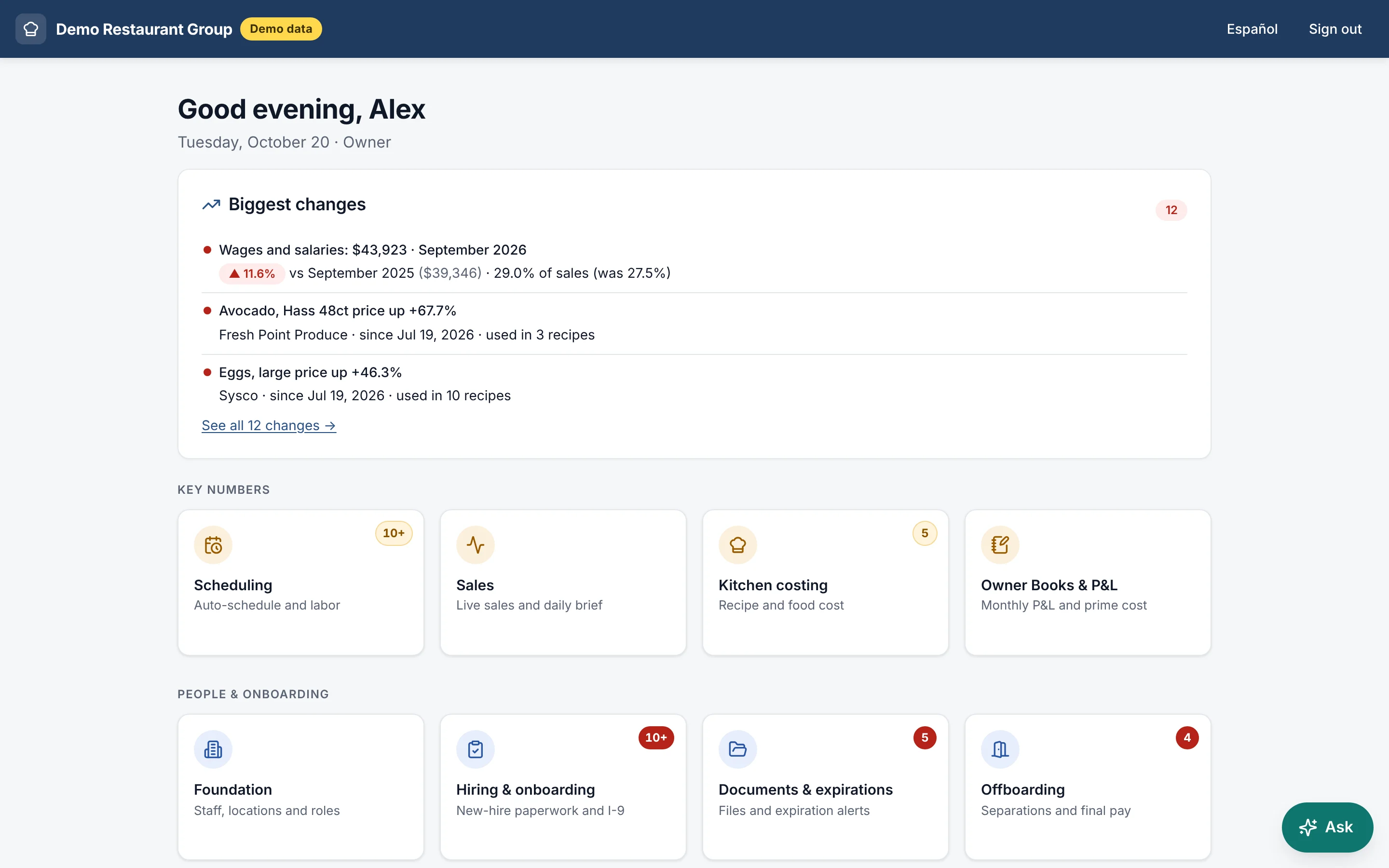
Mise home screen showing the biggest changes, such as wages up 11.6% and avocado and egg prices rising, above tiles for scheduling, sales, kitchen costing, books and HR
Home. The biggest changes first, like a vendor price jump or labor creeping up, then every tool one tap away.
Live Tonight screen showing sales so far, projected close, labor percent, covers, open checks and who is on the clock
Live Tonight. Sales, labor and covers during service, compared to the same time last week.
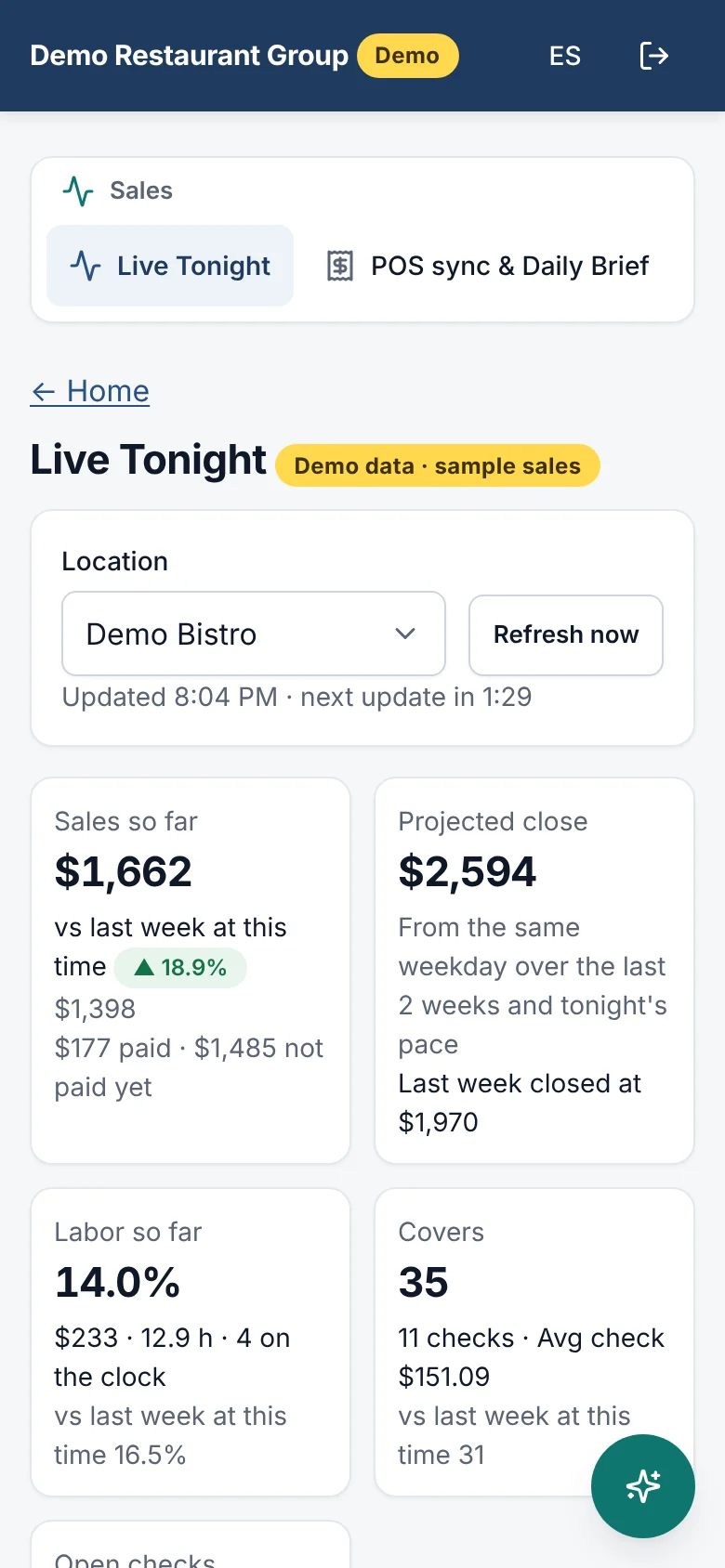
Live Tonight on a phone
On your phone. The same numbers from the floor, in English or Spanish.
Our story

“I went from spending over an hour every morning across five apps to reviewing all my key numbers in ten minutes.”

Mise started as the system one California restaurant owner built for his own restaurants. He was tired of jumping between the POS, QuickBooks, payroll and scheduling just to see how the night went. Now we're bringing it to other independent restaurants.

— Kevin, Harry's Hofbrau

Up and running in three steps

  1. 01

    Book a 15-minute demo

    We walk through the screens and check that Mise works with your POS and bookkeeping.

  2. 02

    We set it up for you

    We connect your systems, load your history and set Mise up for how you run. You don't touch an API key.

  3. 03

    Open Mise each morning

    One screen on your phone or laptop shows how last night went and what needs attention.

See your restaurant on one screen.

Fifteen minutes, on video or in person in Orange County. Bring your questions about your POS and books.

Book a 15-minute demo or email sean@mise365.com